Managing Team Members
Written By inblog Team
Last updated 5 months ago
My Profile Settings
Click your profile icon in the top-right corner to access your personal settings.
You can update the following:
Author name
Profile image
Password
Adding Team Members
To invite teammates:
Click Teams in the left sidebar.
Click Add Member in the top-right corner.
Enter their email address to send an invitation.
Invitations are valid for 7 days.
Once accepted, new members will appear in the team list.
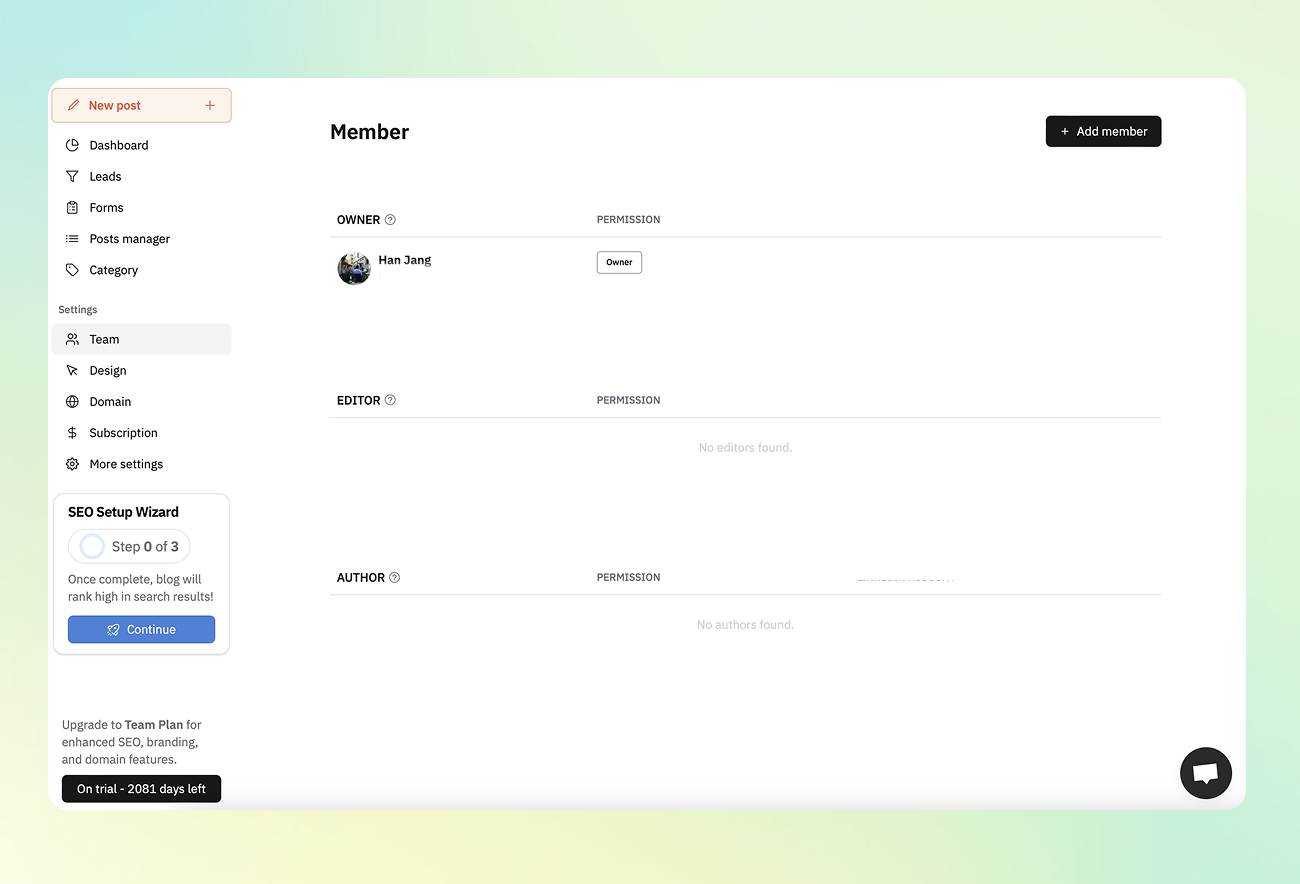
Roles & Permissions
Owner
Full administrative access to all blog settings
Can invite/remove members and change roles
Editor
Can create and manage all content
Cannot delete posts or manage member permissions
Must be granted permissions by the Owner
Author (Recommended for freelancers)
Can only edit or delete their own posts
Can be granted dashboard access by the Owner
Changing Team Member Permissions
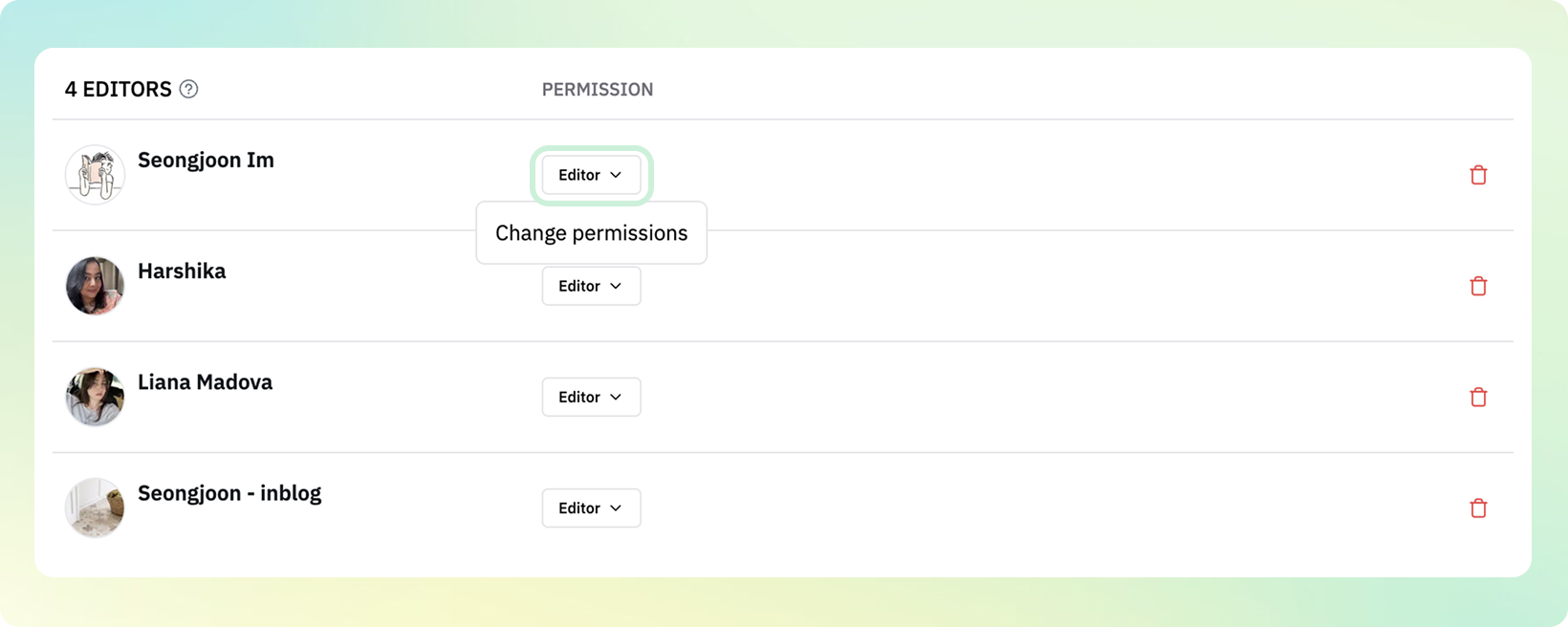
You can update a team member’s role by clicking the dropdown in the Permissions section.
Only Owners can change permissions.
Author Access Control
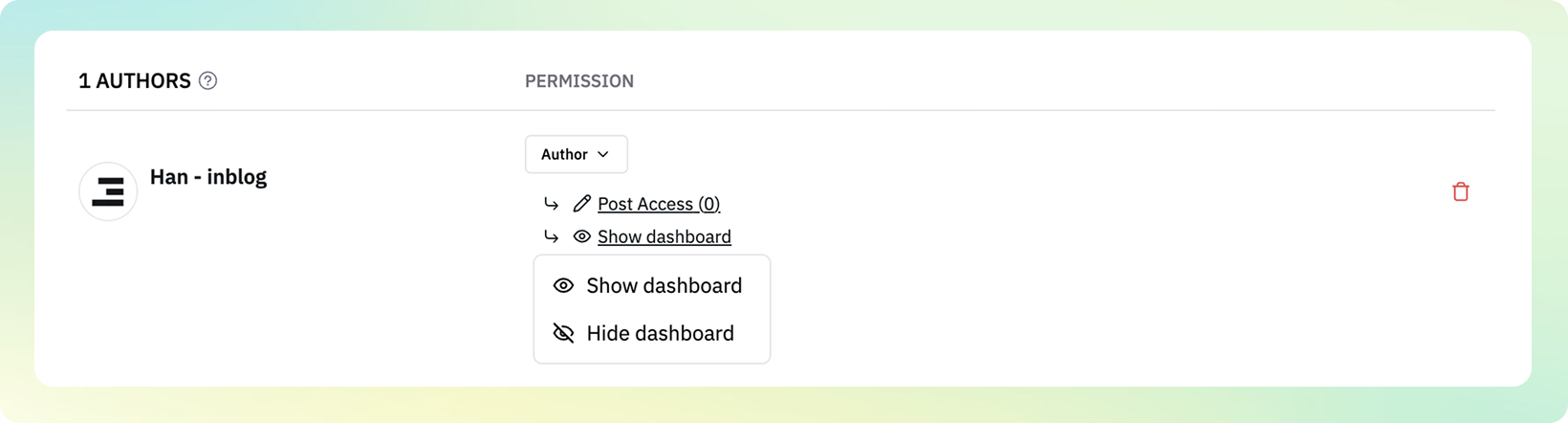
For Authors, you can assign access to specific posts only. You can also control whether they can view the blog dashboard.
Ideal for working with freelance content editors.